Quick answer: DevOps as a service means an outside team builds and runs the way your software is tested, deployed, hosted and monitored. You get CI/CD pipelines, infrastructure as code, monitoring, backups and security patching without hiring a DevOps team. It suits growing companies that release often but can’t yet justify, or find, in-house DevOps engineers.
This guide explains what the service should include, how it compares with hiring or managed hosting, when it is the wrong choice, how to measure it and what to check before you sign.
What DevOps as a service includes
Providers package it differently, but a complete service covers two things: setting up how software gets to production, and keeping production healthy afterwards.
- CI/CD pipelines: every change is built, tested and deployed the same way, with GitHub Actions, GitLab CI, Bitbucket Pipelines or Azure DevOps. See our guide to building a CI/CD pipeline with Jenkins for how the stages fit together.
- Infrastructure as code: servers, networks and databases defined in Terraform or CloudFormation, stored in your repository, so every change is reviewed and repeatable.
- Containers and hosting: Docker images and a platform sized to your needs, from a managed container service to Kubernetes when you really need it.
- Monitoring and alerts: uptime, errors, performance and logs, with alerts that reach someone who will act on them.
- Backups and restore tests: automated backups, and regular tests that prove you can restore them.
- Security and patching: multi-factor authentication, least-privilege access, secrets in a managed vault, and operating system and runtime updates on a schedule.
- Cost reviews: right-sizing, reserved capacity and clean-up of unused resources, so the cloud bill grows with the business and not faster.
- Incident response: agreed response times when something breaks, and a written follow-up afterwards.
If a proposal covers only the first two, it is a setup project, not an ongoing service. That can be the right choice, but know which one you are buying.
DevOps as a service vs the alternatives
| Option | Best for | Watch out for |
|---|---|---|
| DevOps as a service | Growing teams that release often and need pipelines, monitoring and patching handled | Make sure accounts, code and documentation stay in your name |
| In-house DevOps engineers | Larger platforms where infrastructure is a daily, central part of the product | Hiring time, cover for holidays and leavers, and knowledge held by one person |
| Managed hosting | Simple sites and apps with few releases | Usually covers servers, not your pipelines, deployments or application monitoring |
| One-off setup project | Teams that can run things themselves once the foundations are built | Pipelines and servers drift without someone looking after them |
| Developers doing it on the side | Very early products | Releases, backups and patching slip when feature work gets busy |
Signs you need it
- Releases are manual, happen late at night and only one person knows how to do them.
- You find out about outages from customers.
- Nobody has tested restoring a backup this year.
- Servers were set up by hand and nobody can rebuild them from scratch.
- The cloud bill keeps rising and nobody can explain why.
- A security questionnaire from a customer asks about access control, patching or audit logs, and you have no clear answers.
When it is the wrong choice
DevOps as a service isn’t always the answer. If infrastructure is your product, for example a hosting or data platform, keep that expertise in-house. If your site changes a few times a year, good managed hosting is usually enough. And if a provider can’t explain how you would take everything back, keep looking.
What a typical engagement looks like
- Assess: list your applications, environments, release process, costs and risks.
- Plan: agree the target setup, what to automate first and how success will be measured.
- Build: infrastructure as code, pipelines, monitoring and backups, usually one environment at a time.
- Hand over: documentation and runbooks, so your team understands how releases and recovery work.
- Operate: monitoring, patching, cost reviews and incident response, with a regular report.
How to measure whether it is working
The DORA research programme defines five software delivery metrics. They are the clearest way to judge a DevOps service, because they measure outcomes rather than activity. Record them before the work starts, then review them each month. Our guide to DORA and DevOps excellence goes deeper.
| Metric | What it shows |
|---|---|
| Change lead time | How long a change takes from commit to running in production |
| Deployment frequency | How often you deploy |
| Failed deployment recovery time | How quickly you recover when a deployment fails |
| Change fail rate | The share of deployments that need a rollback or hotfix |
| Deployment rework rate | The share of deployments that are unplanned and caused by a production incident |
Add two business measures: uptime against an agreed target, and cloud cost per customer or per transaction.
Free resource
Upgrade and patching checklist
Want this applied to your project? Our engineers will send it with notes for your stack.
Do you need Kubernetes?
Often not. Most small and mid-sized applications run well on a managed container service, serverless functions or a well-configured virtual server, and those are cheaper and simpler to look after. Kubernetes becomes worthwhile when you run many services, need fine-grained scaling or have a team to operate it. A good provider recommends the simplest setup that meets your needs. Our comparison of Docker and Kubernetes explains the difference.
How DevOps as a service is priced
Most providers split the work into a setup project and a monthly service. The setup is priced on the number of applications and environments, how much needs automating and any compliance requirements. The monthly service depends on how many systems are covered, the response times you need and how often you release. Your cloud provider’s bill and any paid tools are usually separate, so ask for both when you compare quotes.
Be wary of a price that depends on hours logged. A fixed scope with clear response times is easier to budget for and makes the provider responsible for efficiency.
Questions to ask a DevOps provider
- Whose name are the cloud accounts in? They should be yours, with the provider given access.
- Where does the infrastructure code live? In your repository, so you can rebuild without them.
- What are the response times, in writing? For an outage, for a security issue and for a routine request.
- How is access controlled? Multi-factor authentication, named accounts, least privilege and audit logs.
- When did they last test a restore? Ask to see how restore tests are recorded.
- What happens if you leave? A clear handover, with documentation and credentials returned.
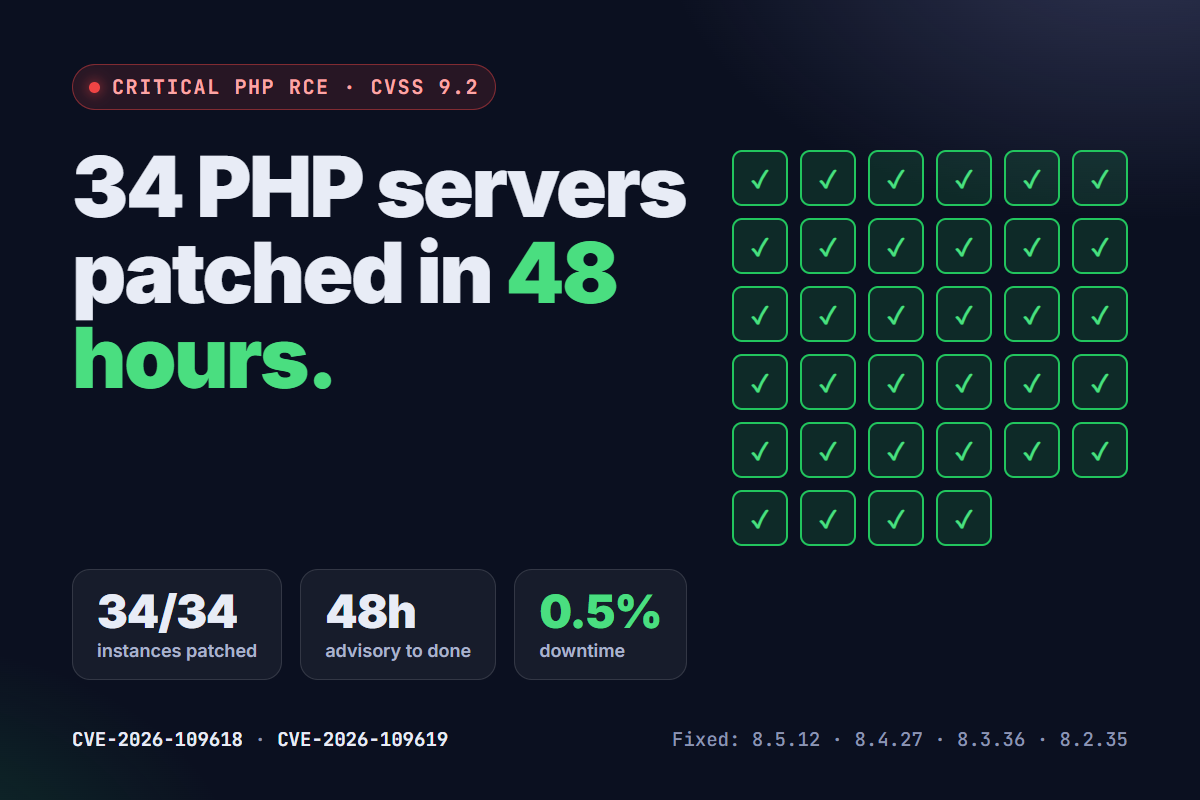
- Can they show real incident work? For example, how our team patched 34 servers in 48 hours after a critical PHP vulnerability.
What to have ready before you start
A provider can move faster if you gather a few things first: a list of your applications and where each one runs, who currently has access to servers and cloud accounts, how releases happen today, your last few cloud bills, and any security or compliance requirements from customers. Gaps in that list are normal. They become the first items in the plan.
Frequently asked questions
What is the difference between DevOps as a service and managed hosting?
Managed hosting looks after servers. DevOps as a service also covers how your software is built, tested and deployed, plus application monitoring, backups, patching and cost reviews across your whole setup.
Will we lose control of our infrastructure?
You shouldn’t. Keep the cloud accounts and code repositories in your company’s name and give the provider access. Infrastructure as code and written runbooks mean another team could take over.
Which cloud providers does it work with?
Most providers work with AWS, Microsoft Azure and Google Cloud, and some with smaller managed hosts. Ask which ones they run in production today, not just which they support.
How long does the setup take?
It depends on how many applications and environments you have and what already exists. A single application with a basic pipeline is far quicker than a multi-service platform with compliance requirements. A short assessment gives you a realistic plan.
Is DevOps as a service secure?
It can be more secure than an informal setup, because access, patching and audit logging are handled on purpose. Check how the provider controls its own access to your systems before you sign.
DevOps support from Vibidsoft
Vibidsoft sets up and runs cloud and DevOps for growing companies on AWS, Azure and Google Cloud, at a fixed price, never by the hour. We start with a fixed-price assessment from $1,500 covering your current setup, risks and target design. The build is then priced as a milestone project, and ongoing management as a care plan from $1,500 a month: monitoring and alerts, backups and restore tests, security patching, cost reviews and CI/CD maintenance, with response times in writing. Your accounts stay in your name.