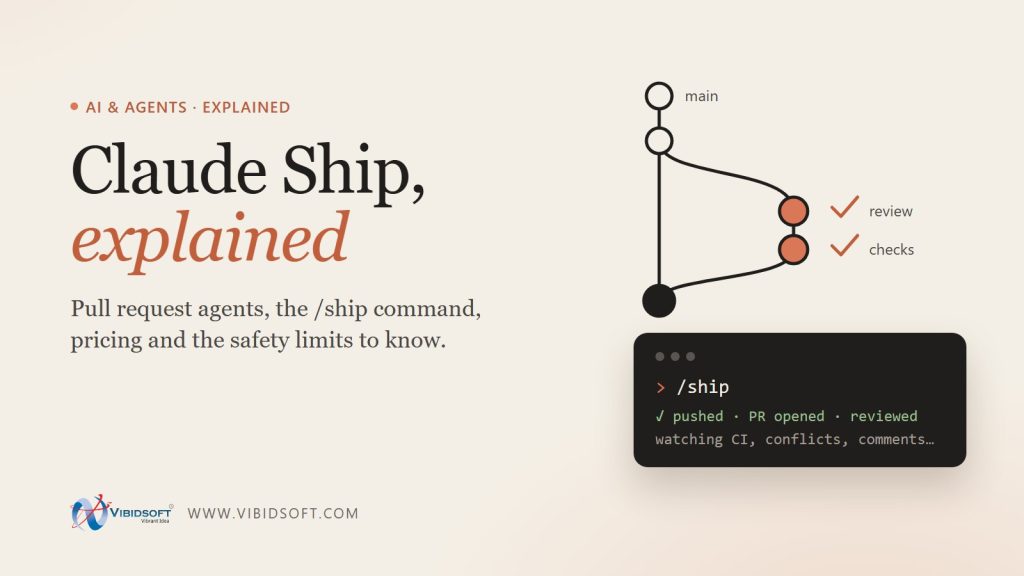
Quick answer: Claude Ship is Anthropic’s set of pull request agents for GitHub, announced in beta on 23 November 2026. It has three parts: Code Review, which posts inline findings on pull requests; PR Steward, which works on failing checks, merge conflicts and review comments; and Claude Approvals, a check that reports who still has to approve. Alongside it, the new /ship command in Claude Code commits and pushes your work, opens a pull request, reviews it and then watches it until it is merged or closed. None of it merges code for you: merging stays with your team and your branch protection rules.
This guide explains what each part does, who can use it, what it costs, the safety limits, and how a development team can roll it out without losing control of what reaches production. Details are taken from Anthropic’s announcement and the Claude Code documentation as of 25 November 2026. It is a beta, so check the docs for changes.
What is Claude Ship?
Most of the effort after code is written goes into the pull request: reviews, fixing failed builds, resolving conflicts, answering comments and chasing approvals. Claude Ship is Anthropic’s attempt to hand that loop to agents while people keep the final say.
| Part | Status | What it does |
|---|---|---|
| Code Review | Generally available | Reviews pull requests and posts inline findings |
| PR Steward | Beta | Works on failing checks, merge conflicts and review comments, and pushes commits to fix them |
| Claude Approvals | Beta | A check that reports who still has to approve a pull request, driven by a policy file in the repository |
According to the Claude Ship documentation, an admin turns it on under Organization settings, Claude Ship, one repository at a time. The approvals policy lives in a file in the repository, .claude/approvals.yml.
The /ship command in Claude Code
The /ship command brings the same loop to an individual developer’s branch. When your change is ready, you type /ship in Claude Code and it:
- Commits your work and pushes the branch.
- Opens a GitHub pull request if the branch does not have one.
- Reviews the change with Claude Code’s code review and fixes the real problems it finds.
- Starts a “watch” that handles CI failures, merge conflicts and review comments as they come in, for up to seven days.
A second command, /steward, starts the same watch on a pull request that already exists, without the review step. Both are started by the developer typing them; Claude does not run them on its own.
Requirements and limits listed in the documentation:
- Claude Code version 2.1.330 or later, the GitHub CLI 2.63 or later and git 2.38 or later.
- Pull requests are opened on GitHub only. On GitLab, Bitbucket or Azure DevOps, /ship does not open one.
- The commands are not available in Claude Code cloud sessions.
- On native Windows, the watch does not start.
Free resource
AI readiness scorecard
Want this applied to your project? Our engineers will send it with notes for your stack.
Who can use it and what it costs
| Claude Ship (team-wide) | /ship command | |
|---|---|---|
| Availability | Claude Team and Enterprise plans, repositories on GitHub | Rolling out in Claude Code and the desktop app |
| Billing | Token-based, through usage credits, with monthly spend limits set by admins | Counts as regular Claude Code usage |
| Not available to | Organisations with Zero Data Retention, the HIPAA configuration or customer-managed encryption keys | Check the docs for your set-up |
Claude Approvals has no base charge, but policies and classifiers that use Claude’s review are billed, including while running in observe mode. Anthropic also announced Claude Ship credits for Enterprise customers who claim them by 15 January 2027. Pricing during a beta can change, so set spend limits before enabling it widely.
Safety limits: what it will and will not do
Agents that push code need clear limits. The documentation describes these:
- No merging or approving. PR Steward is designed not to approve or merge, and /ship leaves the merge to you. During a watch, Claude Code blocks git and GitHub commands that merge, approve, enable auto-merge or force-push.
- Auto-merge is your responsibility. If your repository uses auto-merge or a merge queue, a pull request can still merge “without anyone acting” once checks pass, and the docs are clear that the built-in limits do not cover everything.
- Branch protection decides. Use branch protection to require the approvals you want. The Approvals check only blocks a merge when you make it a required check on GitHub.
- Secrets are checked by file name only. In a private repository, an uncommitted file with a secret-looking name, such as .env, stops the commit, but file contents are not scanned. Keep secrets out of the repository and use your own secret scanning.
- Public repositories: /ship does not commit uncommitted changes in a public repository.
- No confirmation prompt. /ship acts as you, committing, pushing and opening the pull request without asking again, so only run it when the change is ready.
How to roll it out in a development team
- Tighten branch protection first. Require pull requests, passing checks and at least one human approval on your main branch, and decide whether auto-merge stays on.
- Start with one repository. Pick an active but non-critical repository with good tests, since PR Steward relies on CI to know whether a fix worked.
- Set spend limits for Code Review and PR Steward before turning them on.
- Run Approvals in observe mode before making it a required check, so you can see what it would block.
- Review agent commits like anyone else’s. A fix that makes a test pass is not always the right fix.
- Measure the effect. Track time from pull request to merge, failed builds and rework for a few weeks, then decide whether to widen the rollout.
For the wider delivery pipeline these agents depend on, see our guide to DevOps as a service, which covers CI/CD and the DORA delivery metrics.
What it does not replace
Pull request agents are good at the repetitive work around a change: style issues, obvious bugs, broken builds, routine conflicts and small review comments. They do not know your business rules, your customers or why a design decision was made. People still need to own architecture, security-sensitive changes, data migrations and anything that touches payments or personal data. Our article on Claude AI in 2026 and why skilled humans are still irreplaceable looks at that balance more broadly, and our guide to API security lists the kinds of authorisation bugs that still need a human eye.
Questions to answer before you switch it on
- Which repositories hold code or data that agents should not touch, and are they excluded?
- Is auto-merge on anywhere, and who has decided that is acceptable with agents pushing commits?
- Do your tests cover enough that a green build means something?
- Who reviews the agents’ commits, and how will you track the monthly spend?
- Does your client contract or data policy allow source code to be processed by an AI service?
Frequently asked questions
Does Claude Ship merge pull requests automatically?
No. Its agents are designed not to approve or merge, and Claude Code blocks merge commands during a watch. A pull request can still merge through your own auto-merge or merge queue settings, so check those.
Does Claude Ship work with GitLab or Bitbucket?
Claude Ship is for repositories on GitHub. On GitLab, Bitbucket or Azure DevOps, the /ship command does not open a pull request.
What is the difference between /ship and /steward?
/ship commits, pushes, opens a pull request if needed, reviews it and then watches it. /steward only watches a pull request that already exists, handling CI failures, conflicts and comments without reviewing it first.
How much does Claude Ship cost?
Running /ship counts as normal Claude Code usage. Team-wide Claude Ship is billed by tokens through usage credits, with spend limits set by admins. Check Anthropic’s current pricing, as it is a beta.
Is it safe to use on a regulated codebase?
Claude Ship is not available to organisations with Zero Data Retention, the HIPAA configuration or customer-managed encryption keys. For other regulated work, keep required human approvals, secret scanning and audit trails in place, and agree its use with your security team first.
Bringing AI agents into your development process
Vibidsoft builds AI agents and AI features into software and helps teams set up the delivery pipelines, tests and review rules that make AI-assisted development safe. We start with a fixed-price AI Opportunity Audit from $1,500 that finds the use cases worth building and checks your data and processes. Builds are priced as fixed milestones, and live systems can go on a care plan from $1,500 a month. We never bill by the hour.