
On Tuesday, 20 October 2026, the PHP project posted a short notice: a critical security release was coming the next day.
On Wednesday at 14:00 UTC, it landed. Two vulnerabilities, each rated CVSS 9.2, that can let an attacker run their own code on a PHP server. No password. No user clicking anything. On some setups, the attack works before a single line of the application even runs.
We run 34 PHP instances. Every one of them was a door.
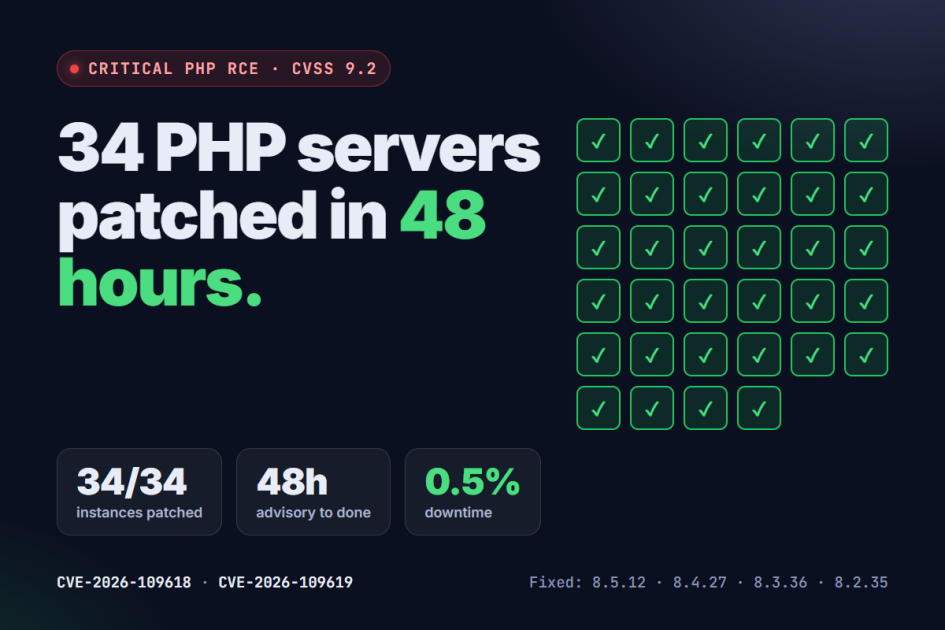
This post covers what the vulnerability is, who is affected, why the "quick workarounds" weren't enough, and exactly how our team patched all 34 instances in 48 hours with just 0.5% downtime. If you run PHP anywhere, the last section tells you how to check your own servers today.
What Happened: The Two Critical PHP Vulnerabilities
On 21 October 2026, PHP released versions 8.5.12, 8.4.27, 8.3.36 and 8.2.35. Each fixes two flaws that allow unauthenticated remote code execution (RCE):
CVE-2026-109618: RCE via out-of-memory corruption
When PHP runs out of memory, it can be interrupted while internal request data is only partly set up. The cleanup step that follows may then treat that broken data as valid. An attacker who can push a request into that state can take control of the process.
CVE-2026-109619: RCE via stale global state
Some internal state that belongs to one request can survive after its memory has been freed. The next request handled by the same worker may use that leftover state before it is reset. That gap is enough to be exploited.
In plain terms: both bugs live in PHP itself, not in your code. A perfectly written application is still exposed if the PHP underneath it is unpatched.
Who Is at Risk?
According to the official PHP security advisory, every PHP installation that serves web requests is affected, including:
- PHP-FPM
- Apache with mod_php
- php-cgi
- FrankenPHP
- LiteSpeed
The risk is highest on Apache with mod_php, where a demonstrated exploit can be triggered by an unauthenticated request before any application code runs. Firewall rules or login screens in your app don't help there.
| PHP branch | Fixed version | Notes |
|---|---|---|
| PHP 8.5 | 8.5.12 | Update now |
| PHP 8.4 | 8.4.27 | Update now |
| PHP 8.3 | 8.3.36 | Update now |
| PHP 8.2 | 8.2.35 | Update now; 8.2 reaches end of life on 31 December 2026 |
| PHP 8.1 and older | No official release | Unsupported by the PHP project; check your Linux distribution or LTS vendor for backported fixes |
Why We Didn't Settle for a Workaround
The advisory lists some partial mitigations for teams that can't update straight away, such as turning off session.upload_progress.enabled and tightening request-size limits. It was tempting: change a few config lines on 34 servers, call it done, and schedule the real upgrade for next sprint.
We didn't, for one reason. PHP's own advisory says these mitigations do not make an installation safe. They block the confirmed attack paths, not every variant. For the 8.2 branch, the release notes put it bluntly: there are no complete mitigations, and updating is the only safe choice.
A workaround that "mostly" closes a CVSS 9.2 hole isn't a fix. It's a delay. So we went straight to the upgrade.
How We Patched 34 PHP Instances in 48 Hours
Here's the playbook our team followed, step by step.
Hour 0: Inventory every PHP instance
You can't patch what you can't see. Before touching anything, we listed every server and container running PHP, along with:
- The PHP version and branch
- How PHP is wired to the web server (PHP-FPM, mod_php and so on)
- Whether the instance faces the public internet
- Which customer applications depend on it
The final count was 34 instances.
Hours 1 to 6: Rank by exposure
Not every server carries the same risk. We put internet-facing instances first, and Apache mod_php setups at the very top, since the advisory flags them as the most exposed. Internal and staging servers followed.
Hours 6 to 48: Patch, test, verify, repeat
Each instance went through the same loop:
- Snapshot or back up the server so we could roll back in minutes if anything broke.
- Upgrade PHP to the fixed release for its branch, using the vendor's updated packages where available.
- Restart every PHP worker. An upgrade only takes effect once the old processes are gone.
- Run smoke tests on the applications hosted there: key pages, logins, forms, file uploads and scheduled jobs.
- Confirm the running version on the live process, not just the installed package.
- Log it and move to the next one.
We worked in shifts around the clock so nobody was making critical changes at the end of a 20-hour day. Every upgrade was checked by a second engineer before it was marked done.
The result
- 34 of 34 instances upgraded to patched PHP versions
- 48 hours from advisory to the last verified server
- 0.5% downtime across the whole operation, with most restarts scheduled into low-traffic windows
What Your Team Should Do Today
If you run PHP, here is the short version.
1. Check which PHP version is actually running
On the command line:
php -v
The command-line PHP can differ from the version your web server uses. To check what PHP-FPM is running, use your distribution's binary (for example php-fpm8.3 -v), or look at a phpinfo() page on a non-public URL and delete it afterwards. To see whether Apache loads mod_php:
apachectl -M | grep -i php
If you install PHP from a Linux distribution's packages, the version number may not match the table above even when the fix is included, because some vendors backport patches. The advisory notes that distributions and LTS vendors received the patches in advance, so check your vendor's security notice to confirm.
2. Upgrade to a fixed release
Move to 8.5.12, 8.4.27, 8.3.36 or 8.2.35 (or your vendor's patched package), then restart every PHP worker.
3. Plan your way off PHP 8.2 and older
PHP 8.2 stops receiving security fixes on 31 December 2026. PHP 8.1 and older already get none from the PHP project. If you're on these versions, this incident is your warning: the next critical bug may have no official patch at all.
4. Keep an up-to-date inventory
The biggest time-saver in our response was knowing what we ran. If you can't answer "which servers run PHP, and which version?" in five minutes, fix that first.
The People Behind the Numbers
Patching 34 servers in two days isn't a tooling story. It's a people story. Our engineers worked through the night in planned shifts, double-checked each other's work, and kept customer applications online throughout.
To the team: thank you. You made a scary week look boring from the outside. That's exactly what good engineering looks like.
Is Your PHP Stack Exposed? Let Vibidsoft Help
Not sure which version your servers run, or don't have the in-house hands to upgrade safely? Vibidsoft Pvt. Ltd. has built and maintained PHP applications for years, across Laravel, CodeIgniter, CakePHP, WordPress, Magento, Moodle and custom PHP.
We can help you:
- Audit every PHP instance and identify what's exposed
- Upgrade to a patched PHP version with tested rollback plans
- Migrate off end-of-life PHP versions (8.2 and older) before support runs out
- Maintain your stack so the next advisory is a routine task, not an emergency
Start with a conversation. Request a free PHP security check and we'll tell you where you stand.
Frequently Asked Questions
What are CVE-2026-109618 and CVE-2026-109619?
They are two critical vulnerabilities in PHP itself, published on 21 October 2026 and each rated CVSS 9.2. Both can allow an unauthenticated attacker to execute code on a server running an unpatched version of PHP.
Which PHP versions fix the vulnerability?
PHP 8.5.12, 8.4.27, 8.3.36 and 8.2.35. PHP 8.1 and older receive no official update from the PHP project, though some Linux distributions and LTS vendors provide backported fixes.
Is my site safe if I use a framework like Laravel or WordPress?
No. The flaws are in the PHP runtime, not in frameworks or application code. Any site running on an unpatched PHP version that serves web requests is exposed, whatever framework it uses.
Can I apply a configuration change instead of upgrading?
The PHP advisory lists partial mitigations, but states clearly that they do not make an installation safe. Updating PHP is the only complete fix.
How long does a PHP security upgrade take?
For a single server with good backups and tests, often an hour or two. Across a fleet, it depends on how many instances you run and how well documented they are. With a clear inventory, our team patched 34 instances in 48 hours.
Source: PHP security advisory and release notes, php.net news archive 2026.